 Data Duplicate Management
Keep Your Odoo Database Clean & Duplicate-Free
Detect duplicates. Review intelligently. Consolidate safely.
Unintentional duplicates in customers, vendors, products, and contacts lead to fragmented history, incorrect analytics, and operational friction. Ninaad Global's Data Duplicate Management provides an automated, rule-based framework to identify duplicates in real time or via bulk scans, choose master records, and merge them without losing related data.

 Overview
Eliminate Operational Friction with Cleaner Data
Duplicate data creates redundant communications, disjointed sales & purchase histories, and distorted financial reporting. Protect your master data across any Odoo model with automated matching, instant notifications, and controlled merging.

Universal Model Support
Works with Contacts, Vendors, Products, Leads, Employees, or any custom Odoo object without extra code.

Real-Time & Bulk Scans
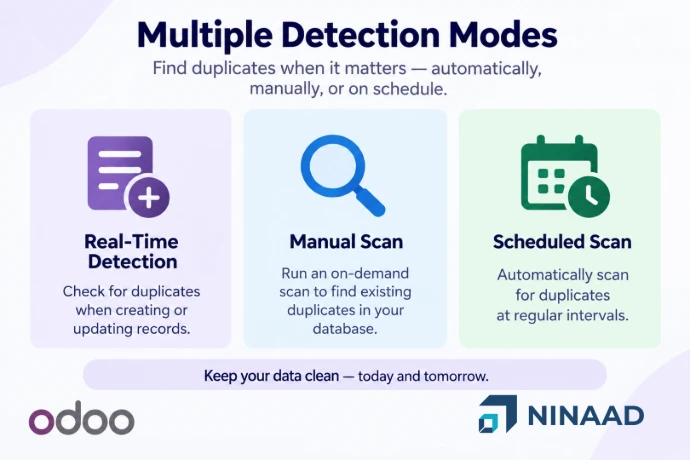
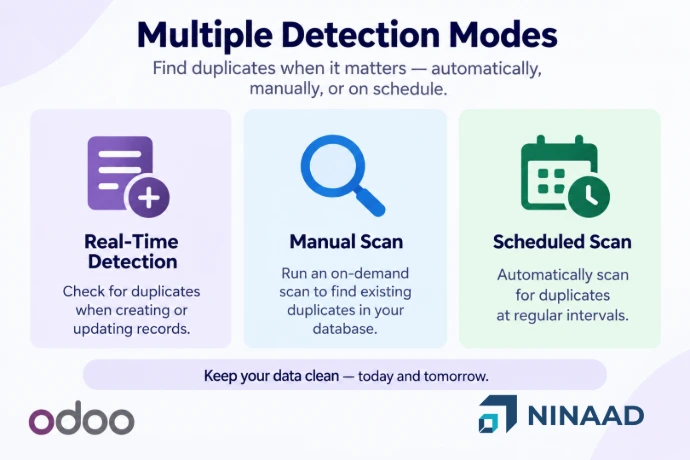
Detect duplicates instantly during save/create (Alert or Block) or run scheduled cron scans on existing records.

Safe Merge & History Retained
Safely reassign chatter messages, activities, attachments, and followers to the chosen master record before archiving.
Workflow
How It Works
A structured, 4-stage data governance cycle: Detect → Review → Decide → Consolidate
1. Define Matching Rules
Select the target model and field criteria with Exact, Case-Insensitive (ilike), or Fuzzy (contains) comparison.
2. Configure Rules
Set domain filters and select the trigger action: Warning (Block Save) or Alert (Save + Live Warning).
3. Detect Duplicates
Catch duplicates automatically during user creation/edit, or run on-demand bulk scans and scheduled daily cron jobs.
4. Review & Merge
Inspect duplicate sets, select the master record, discard false positives, and merge cleanly with full history preserved.
Key Features
Key Features
Everything you need to prevent bad data from entering Odoo and clean up existing duplicate records efficiently.
Matching Rules
Flexible Matching Rules
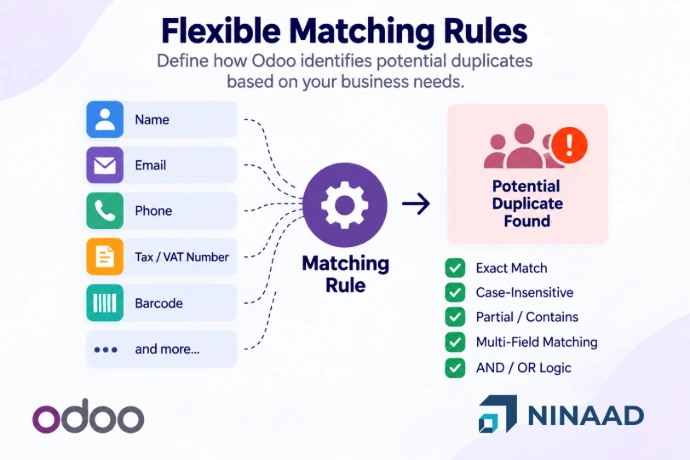
Create matching rules based on one or multiple fields to define duplicate criteria according to your organization's data-management requirements.
- Multiple Matching Approaches: Exact matching, Case-insensitive matching (
ilike), and Partial/contains matching (fuzzy). - Multiple-Field Matching: Combine fields (e.g., Customer Name + Email + Phone or Product Internal Reference + Barcode).
- AND / OR Combinations: Create flexible logic for complex business requirements.
- Blank Field Handling: Optional matching of blank fields when two empty values should be considered a match.
Real-Time Detection
Real-Time Duplicate Detection on Any Model
Configure duplicate detection for Contacts, Customers, Vendors, Products, Employees, Leads, or any custom Odoo model with instant checking.
- Warning (Block Save): A validation error pops up, preventing save and showing matched fields with a direct link to open the existing record.
- Alert (Save + Warning): The record saves successfully, while a live duplicate notification is broadcast to the user via the Odoo Bus.
- Action on Create & Edit: Configure independent alert or block responses when records are created vs when modified.
- Record-Level Security: Choose whether duplicate checks enforce or bypass record-sharing rules.
Bulk Scan & Review
Bulk Duplicate Detection & Scheduling
Identify potential duplicates in existing database records without manually checking every single entry.
- One-Click Bulk Scanning: Click "Find Duplicates" on any active rule to scan existing data immediately.
- Scheduled Detection: Set up automated recurring scans so that master-data quality is continuously monitored.
- Duplicate Record Sets: Potential duplicates are grouped into manageable sets displaying matching criteria and modification logs.
- Live Completion Notifications: Instant popups confirm exactly how many duplicate groups were detected.
Safe Merge & Review
Master Record Selection & Safe Merge Workflow
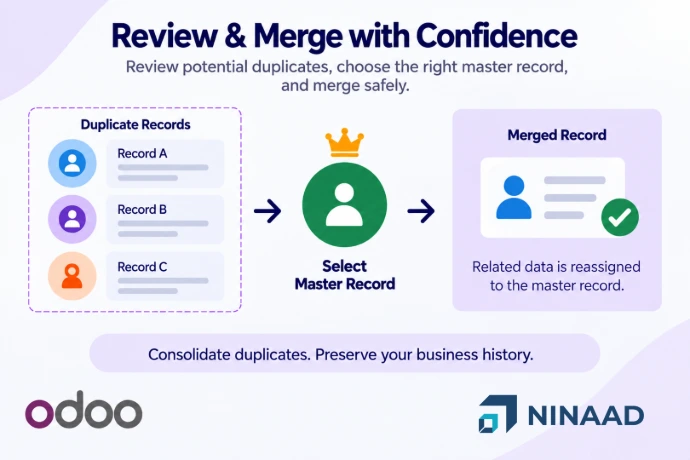
Resolve confirmed duplicates through a guided merge workflow that lets you elect the master record, dismiss false positives, or reopen sets.
- Master Record Selection: Users designate which record should become the Master Record before merging using "Set Master".
- Foreign Key Reassignment: Reassigns all related business transactions (sales, purchases, invoices) to the master record.
- Chatter & Attachments Preserved: Reassigns attachments, messages, logged activities, and followers to maintain complete history.
- Review, Discard & Reopen: Validate groups, dismiss false positives with one click, or reopen previously merged sets when needed.
Applications
Typical Business Scenarios
See how organizations use Data Duplicate Management across daily business operations
Customer Master Data
Prevent multiple customer records from being created for the same organization or individual (e.g., Name + Email + Phone).
Vendor Management
Identify duplicate vendors based on business identifiers such as Name, Tax/VAT Number, and Email to avoid double payments.
Product Master Data
Detect products that may have been created multiple times using Internal Reference, Barcode, or Product Name.
Data Migration
After importing data from external legacy systems or third-party platforms, run duplicate scans to identify and clean redundant records.
Ongoing Data Governance
Schedule periodic duplicate scans to continuously monitor and maintain master-data quality in multi-user environments.
About Us
Why Ninaad Global?
Ninaad Global helps businesses run cleaner, more reliable Odoo systems with scalable digital solutions. Our team provides end-to-end ERP implementation, customization, integration, and master-data governance to ensure your Odoo database is optimized for long-term growth.
Testimonials
What Client Says About Us
Our Project
Our Success Stories









Partnerships
Our Partnerships



Ready to Keep Your Odoo Data Clean?
Reduce duplicate records, improve data quality, and give your team a reliable way to manage duplicate data across Odoo.